How a task tracker template helps
Task trackers help project managers and team members stay on top of task progress and structure how work is distributed across the team.
Project managers can use this free task tracking template to:
Create clear ownership and stronger accountability
Support more efficient workflows
Improve collaboration
Help teams set priorities and meet deadlines
Team members can use task trackers to:
Align their work with higher-level priorities
Plan time and resources more effectively
Quickly find support when bottlenecks come up
With task trackers, teams stay focused, blockers are spotted early, and projects are completed on time.
Why MeisterTask instead of Excel?
Excel spreadsheets quickly get messy: multiple versions, manual status updates, and important information scattered across emails or chats.
In MeisterTask, everything stays in one place. Tasks, owners, statuses and discussions are all easily viewable by team members.
So you always know who’s doing what, what’s next, and where things are stuck, without the spreadsheet chaos.
When to use the task tracker template
This template helps you set priorities and define responsibilities, for example by:
Breaking tasks into clear stages
Prioritizing larger project tasks
Planning time and resources
Managing workflows and project deadlines
The template works for almost any project. Use it to define tasks and coordinate timelines and resources.
How to use the task tracker template
By segmenting your tasks and assigning statuses to each project deliverable, you ensure all team members are aligned on priorities and accountable to their respective roles in the project.
Step 1: Organize your project board into task statuses
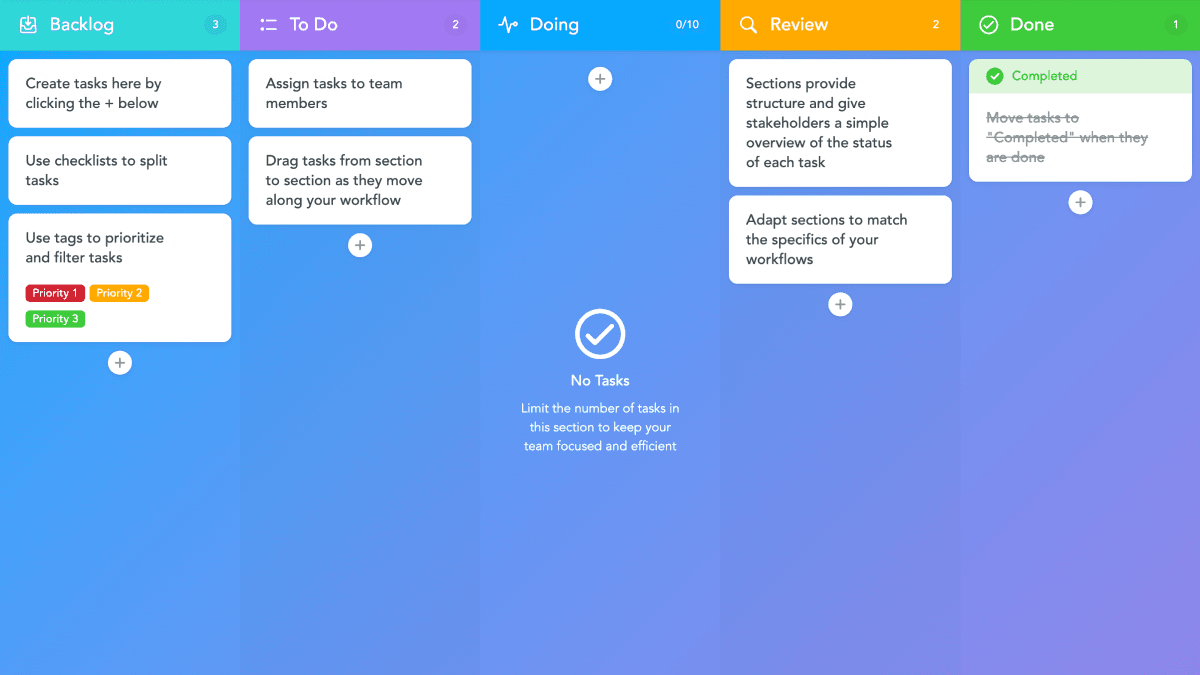
Open your template and create vertical sections for each stage of the task completion cycle. We recommend a template of five sections that follow this general outline: backlog, to-do, in progress, review, and completed.
Name each section using whatever label best suits your unique project needs. But keep in mind that the purpose of the template is to track the status of each task in your project. The project board should reflect that so it’s easy for all stakeholders to view the status of each of the assigned tasks.
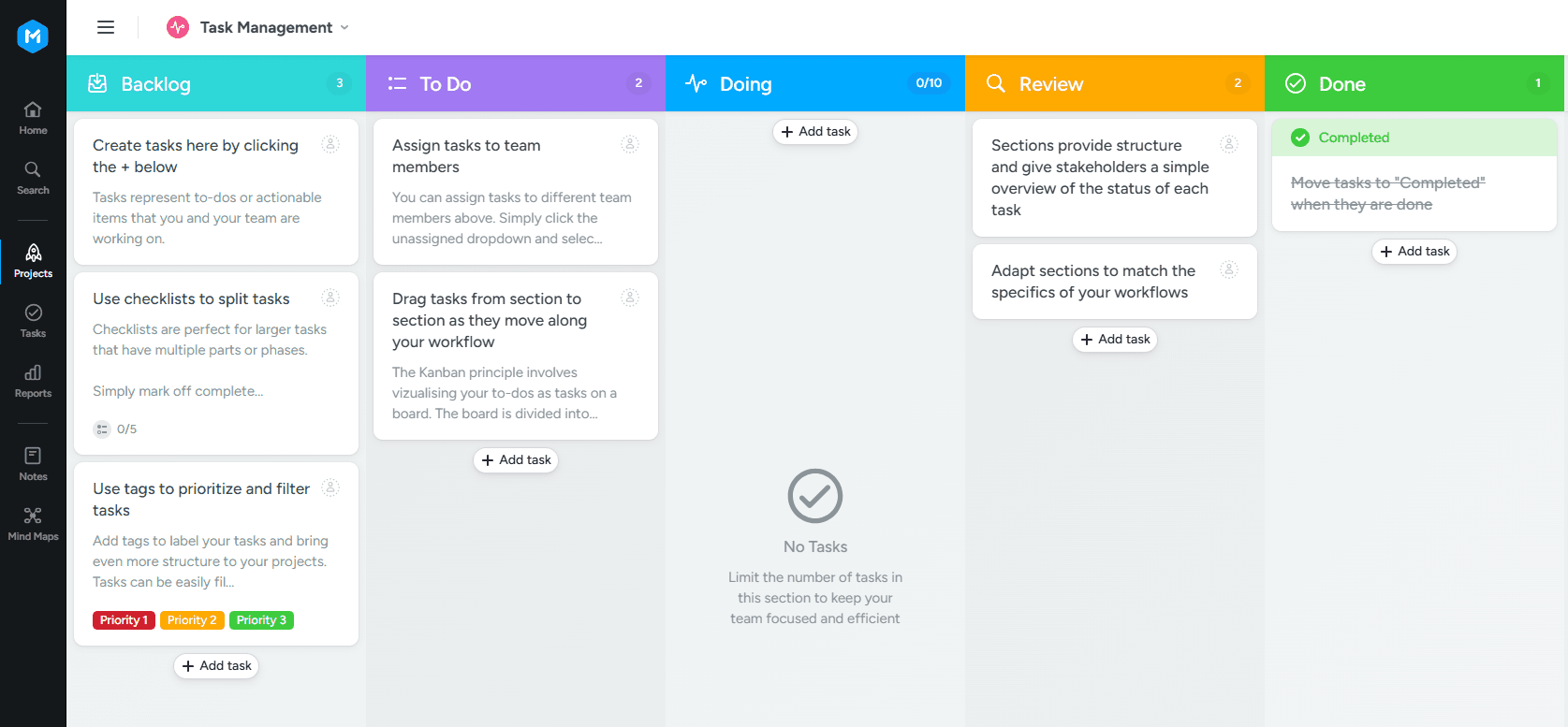
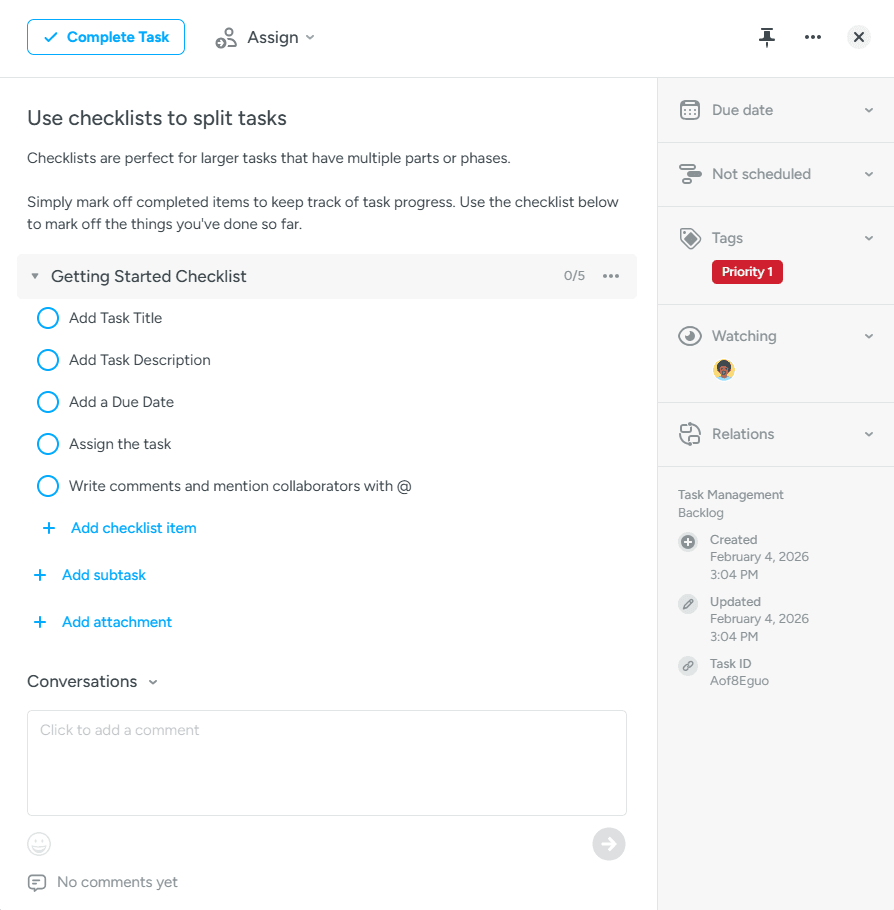
Step 2: List your tasks in your sections
Now you’re ready to list out your project tasks. You can create a new task by clicking the + in any section of your project board. Add a description of the task and any helpful information.
If you’re just beginning to use the template, most of your tasks should be listed under your to-do section. As work gets underway, you can move tasks into the in-progress section or the backlog section if they’ve been deemed a lower priority. Once work is ready for review, the task can be reassigned to the review section and marked off as completed once the review is verified.
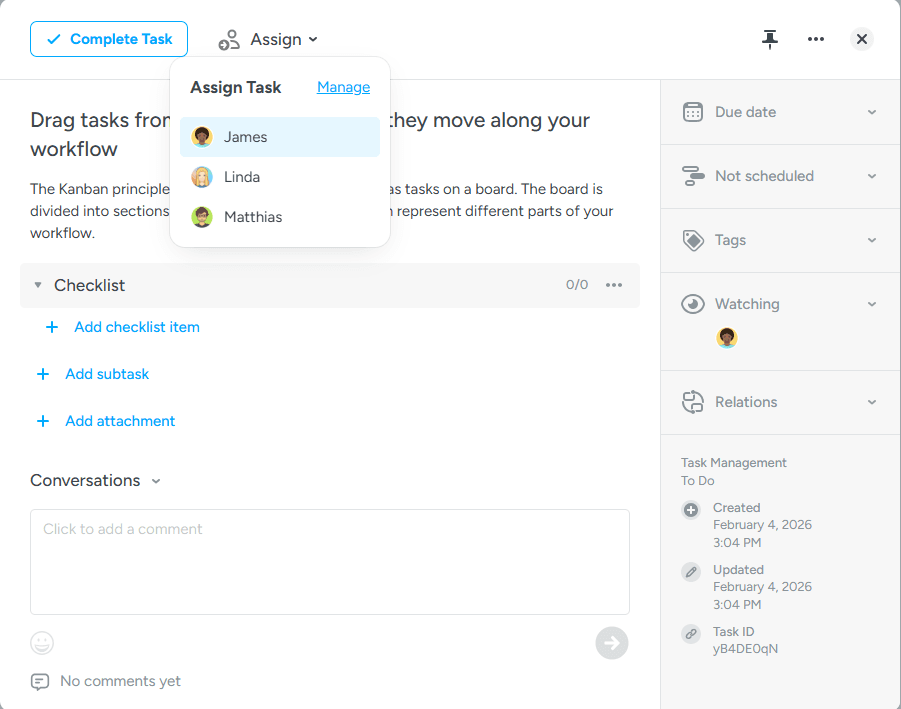
Step 3: Assign team members to each task
Now you’re ready to organize your tasks based on priorities and project dependencies. You can tag each task as a small, medium, or large deliverable. This will help you manage how time, budgets, and resources are used throughout the project.
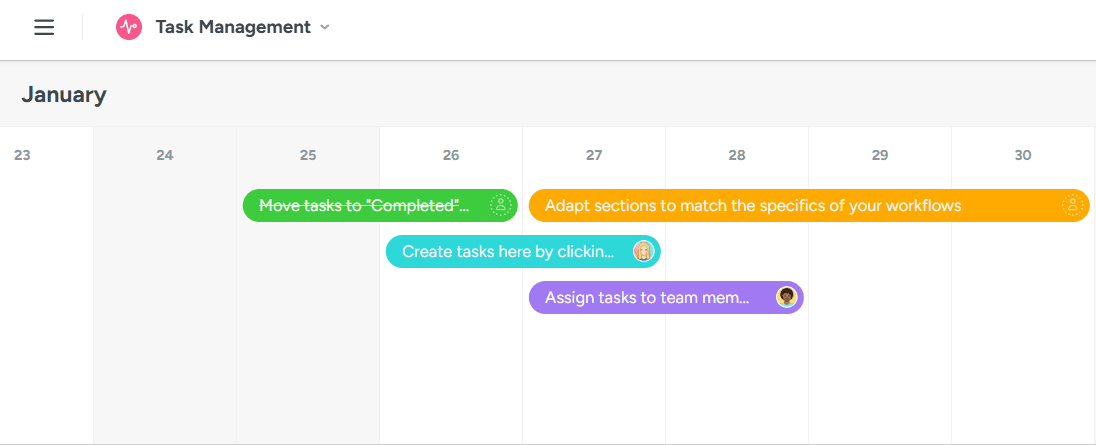
Step 4: Create your task management timeline
Now, you’re ready to use one of the biggest features of the task tracker template: the built-in project timeline. Use the view toggle at the top of your project board switch to a Gantt-style timeline.
You can drag each of your tasks from your project board onto the project timeline. Once you drop a task onto the project timeline, click and drag the task horizontally to assign the appropriate start and end dates. This will create a visual overview of all tasks and project dependencies. You can manage your team’s workflows using the visual timeline tracker as a guide for how your tasks are completed throughout the project.
Step 5: Monitor status updates and keep task workflows moving
The task tracker template is designed to help you monitor task statuses so that the project moves towards the desired outcome. Use the Reports feature of your template to track the status of all tasks on your project board. You can share those status updates with other stakeholders and report on the project’s progress. Your stakeholders can help you determine if tasks and resources must be reassigned, should there be any gaps in the deliverables and the project timeline.
Make task management even more efficient with MeisterTask
MeisterTask makes it easy to get started with task tracking—and also offers features for more advanced task management like:
Automations: Recurring tasks, automatic status updates, and rules for repeatable workflows.
Templates & workflows: Standardized processes for recurring projects, with clear stages and responsibilities.
Real-time status overview: See progress and bottlenecks at a glance.
Comments & files on each task: Keep everything in context instead of scattered across email and chat.
Filters, tags & views: Sort tasks by priority, owner, or stage to match how your team works.
With MeisterTask you’ll save time, increase transparency and cut down on back-and-forth.
FAQ | Frequently asked questions
Yes. You can share this task tracking template in MeisterTask and collaborate in real time. Everyone can see tasks, owners and statuses, and updates sync instantly so the whole team stays aligned.
Yes. You can use the task tracker template for free to assign work and track progress. Paid plans are available if you need more advanced features.
Unlike Excel, MeisterTask keeps tasks, owners, statuses, comments and files in one place. No version confusion, no manual updates — and you can always see who’s doing what and where work is blocked.
Definitely. You can start using the template right away, with little setup. As your workflow evolves, it’s easy to customize step by step.
It works well for any team that needs clear ownership and reliable tracking, including project work, team coordination, recurring processes, campaign planning and multi-stage workflows.
Learn more about task management with MeisterTask.