It’s context season at MeisterTask.
Last month, we added project documents to help you store crucial context for any project.
Now, we’re adding project chats. They’re rolling out to all accounts over the coming days.
All too often, project conversations happen everywhere except the place the project lives. So we’re putting an end to that.
Conversations that live with the work
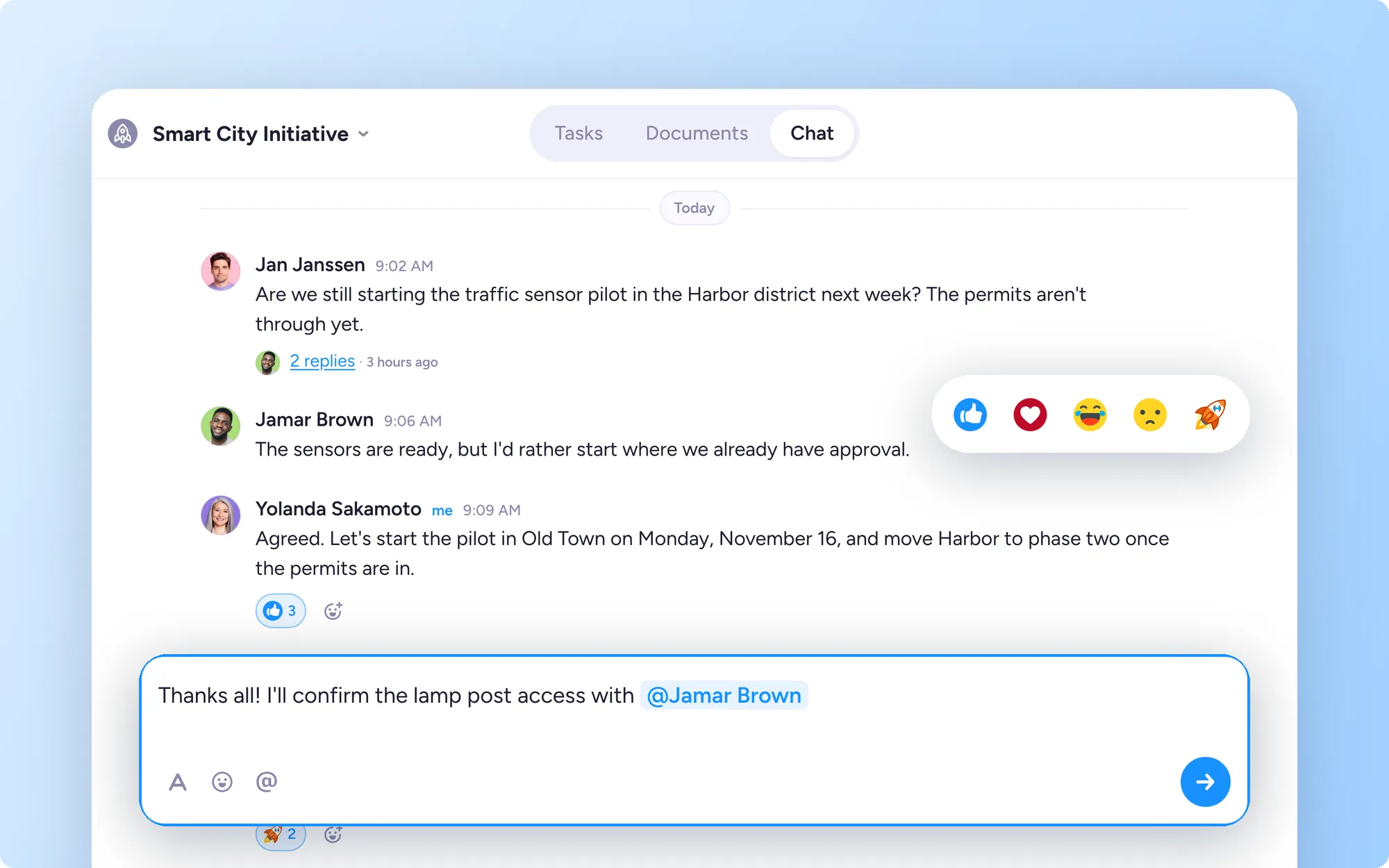
Every project now has a Chat tab, right next to Tasks and Documents. It's where your team talks through the work, so the context behind a decision sits next to the tasks and documents it's about.
Keep discussions organized
Project chat gives every topic its own space, so the conversation stays easy to follow:
Threads: start a thread for each topic, so replies stay together instead of scrolling past
@mentions: pull in the people who need to weigh in, or use @all to reach everyone on the project
Rich text and reactions: format messages so they're easy to scan, and react with emojis
Message links: copy a link to any message. Opening it takes you straight to that message, inside its thread
Notifications: get in-app notifications for threads you start, reply to, or are mentioned in.
Who can use project chat
Project chat is in beta, available on all MeisterTask plans. There are more updates coming to project chat soon.
Try it in your project
Open any project, select Chat and start a thread about the decision your team keeps coming back to.