Briefs in Google Docs, meeting notes in MeisterTask, specs in an email from three weeks ago. Project context gets scattered fast. It slows down existing team members, and good luck to anyone trying to onboard.
One home for project documents
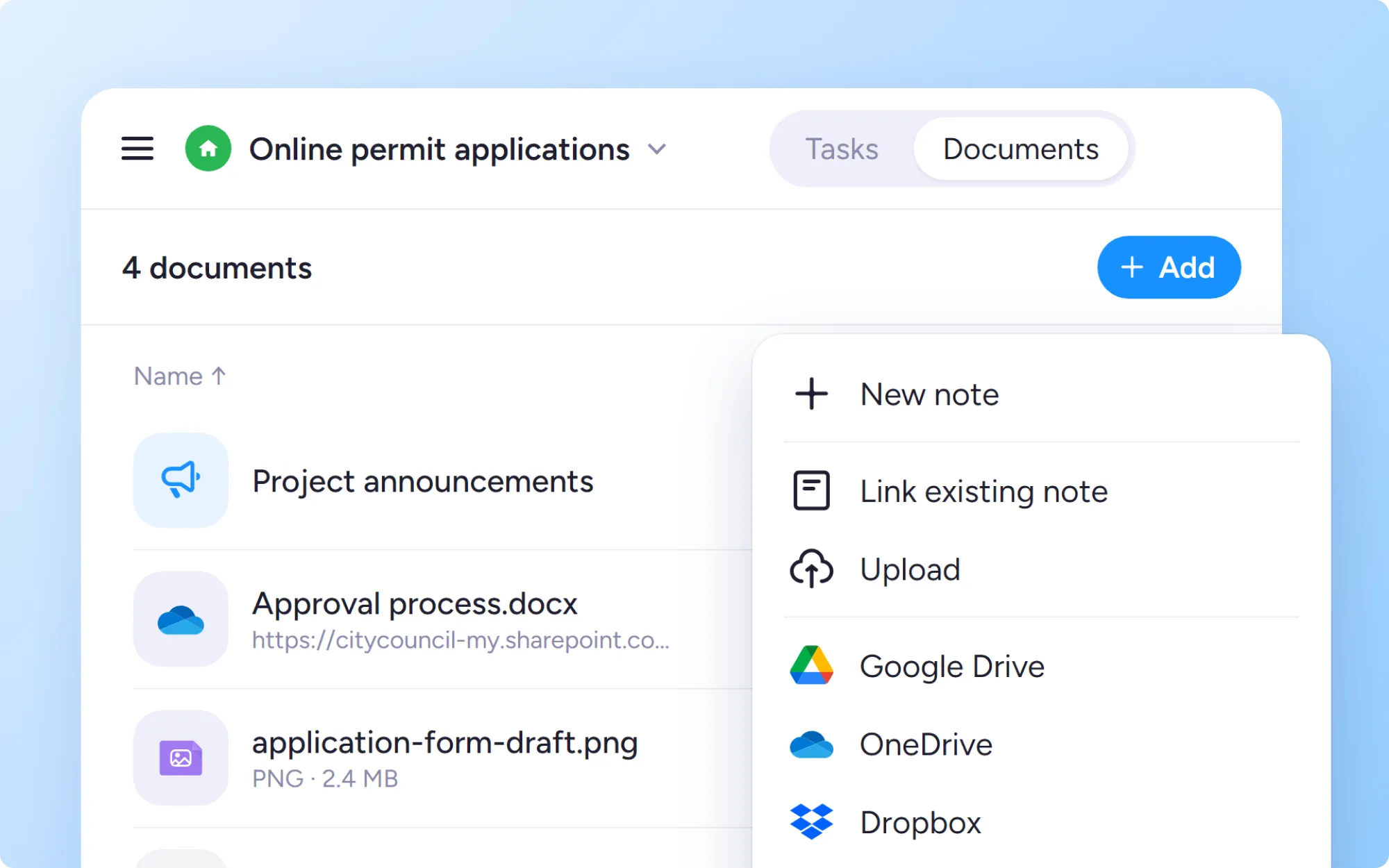
Every project now has a Documents tab, right next to your tasks. It's where your project's notes, links and files live, so everyone on the project can find them faster than they can ask “where’s the project brief?”
Add what your project needs
Use the Add button to bring in:
Notes: link an existing MeisterTask note, or create a new one right from the tab
Links: paste a link to anything online, like a client’s website
Cloud files: pick docs, slides, spreadsheets and more from Google Drive, OneDrive or Dropbox
Uploads: add files from your computer, like briefs or contracts
Everyone sees what they're allowed to
Notes keep their own sharing settings. A linked note only shows to project members who already have access to it, so adding a note to a project never shares it by accident. Links and uploaded files are visible to everyone on the project, though you might want to check that you’ve also shared that OneDrive file with the right people beforehand.
Try it in your next project
Open any project, select Documents and add the files your team reaches for most. The new-joiner will thank you.