
 They are the result of maintenance that was planned, postponed, and eventually forgotten. This article shows how a manufacturing team can build a practical preventive maintenance schedule without a CMMS, specialist software, or IT support.
What is a preventive maintenance schedule?
A preventive maintenance schedule is a plan that sets out when each piece of equipment is serviced and who does the work, so problems are caught before they stop the line. Instead of waiting for a machine to break, you service it at set intervals or based on how much it has been used. It is the day-to-day expression of a systematic approach to managing equipment across its whole life cycle, the same principle behind recognized asset-management standards.
It helps to separate two words that often get mixed up. A maintenance plan determines what work needs to be done and how to do it. A schedule decides who performs each task and when. The plan is the recipe; the schedule is the roster.
Most schedules run on one of three triggers. Time-based tasks happen on a calendar (weekly, monthly, quarterly). Usage-based tasks happen after a machine hits a threshold, such as operating hours or production cycles. Condition-based tasks occur when a reading, such as temperature or vibration, crosses a set point. For a team starting out, time-based and usage-based triggers cover almost everything.
Why a preventive maintenance schedule matters
If your team spends its days reacting to breakdowns, you already know the cost. A bearing that needed greasing three weeks ago. A calibration check slipped while the maintenance lead was on leave. A filter nobody noticed was overdue until the line stopped.
 It feels cheaper until the moment it isn't. The U.S. Department of Energy's national laboratories estimate that preventive maintenance saves 12 to 18 percent over a purely reactive approach.
A preventive maintenance schedule pays back in ways you can measure and ways you can feel on the shop floor:
Less unplanned downtime. Servicing equipment before it fails keeps machines running when you have orders to fill.
Longer equipment lifespan. Regular care keeps machinery inside its design limits, so you get more years before replacement.
Lower repair costs. Catching a small fault during a routine check is far cheaper than replacing the part it would have destroyed.
Safer operation. Equipment maintained as designed is safer for the people who operate it.
Predictable planning. When maintenance is scheduled, you can order parts and book technician time in advance, rather than scrambling.
Audit-ready records. A documented schedule gives you proof of what was done and when, which matters when an inspector asks.
Reactive, preventive, and predictive maintenance: what's the difference
There are three broad ways to approach equipment upkeep. Most mid-size manufacturing teams are reactive today; preventive is the achievable next step, and predictive is something to aim for later.
Reactive
Preventive
Predictive
Trigger
Fix it after it breaks
Service it on a set interval or usage threshold
Act on sensor data that signals wear
Cost profile
Feels cheap, hides high failure costs
Predictable, planned spend
Higher upfront investment
Downtime risk
High and unplanned
Low and planned
Lowest, but complex to run
Tooling needed
None
Tools you already have, plus a way to track tasks
Sensors, data infrastructure, analysis
Best fit
Cheap, non-critical assets
Most Mittelstand production teams
Data-mature operations
The point is not to jump straight to sensors and dashboards. The point is to move off pure firefighting. Preventive maintenance is also a natural fit with a continuous-improvement mindset, where small, repeatable changes steadily reduce waste and downtime. Predictive maintenance is a worthwhile goal, but it is not a prerequisite for getting control of your machines this quarter.
How to build a preventive maintenance plan in five steps
You do not need a six-month project to get started. Five steps take you from a blank page to a working plan, using the same coordination that underpins effective manufacturing workflow management.
1. Identify your critical machines
Do not try to schedule the whole floor at once. Start with the machines that would hurt most if they stopped. Rank equipment by four questions: What does a failure do to production? Is there a safety risk? How expensive is the repair or replacement? How likely is it to fail?
A small parts manufacturer might begin with three assets: the CNC machine, the air compressor that feeds several stations, and the packaging line. Those three carry most of the risk, so they earn the first slots on the schedule.
2. Define maintenance intervals for each machine
For every critical machine, decide how often each task should happen and what triggers it. Pull intervals from three sources: the manufacturer's recommendations, your own failure history, and the operators who run the machine every day.
Mix time-based and usage-based triggers as needed. A weekly visual inspection and a monthly lubrication task can be paired with an "every 500 operating hours" filter change. The aim is to service each machine often enough to prevent failures, but not so often that you waste labor and parts.
3. Assign a clear owner to every task
A task with no name attached will not get done. Every maintenance task needs one responsible person, matched to the right skill level and the right shift. Ownership is what turns "someone should grease that bearing" into work that actually happens.
This is where maintenance meets production planning. When you know who owns each task and when it falls due, you can coordinate maintenance around production schedules instead of letting the two collide.
4. Document a checklist for each task
Turn each maintenance task into a repeatable checklist so the quality of the work does not depend on who is on shift. A good equipment maintenance checklist outlines the inspection points, the required tools and parts, the safety steps, and the expected duration of the task.
Written checklists also protect you when an experienced technician is off or moves on. The knowledge lives in the process, not only in one person's head. You can copy the starter checklist later in this article and adapt it to your machines.
5. Set a review cadence
A schedule is not a set-and-forget document. Review it every quarter, and any time you add equipment or notice a new failure pattern. If a machine keeps failing despite regular service, tighten the interval. If a task never finds anything wrong, you may be over-maintaining and can ease off.
How to set up your maintenance schedule in MeisterTask
MeisterTask turns the plan above into work that runs on its own, without a CMMS and without IT support. It is not a CMMS replacement. It is the coordination layer that makes sure every maintenance task is assigned, tracked, and completed. If your team already organizes work on a board, adding maintenance is a small extension of everyday task management.
Here is how the plan maps onto the tool:
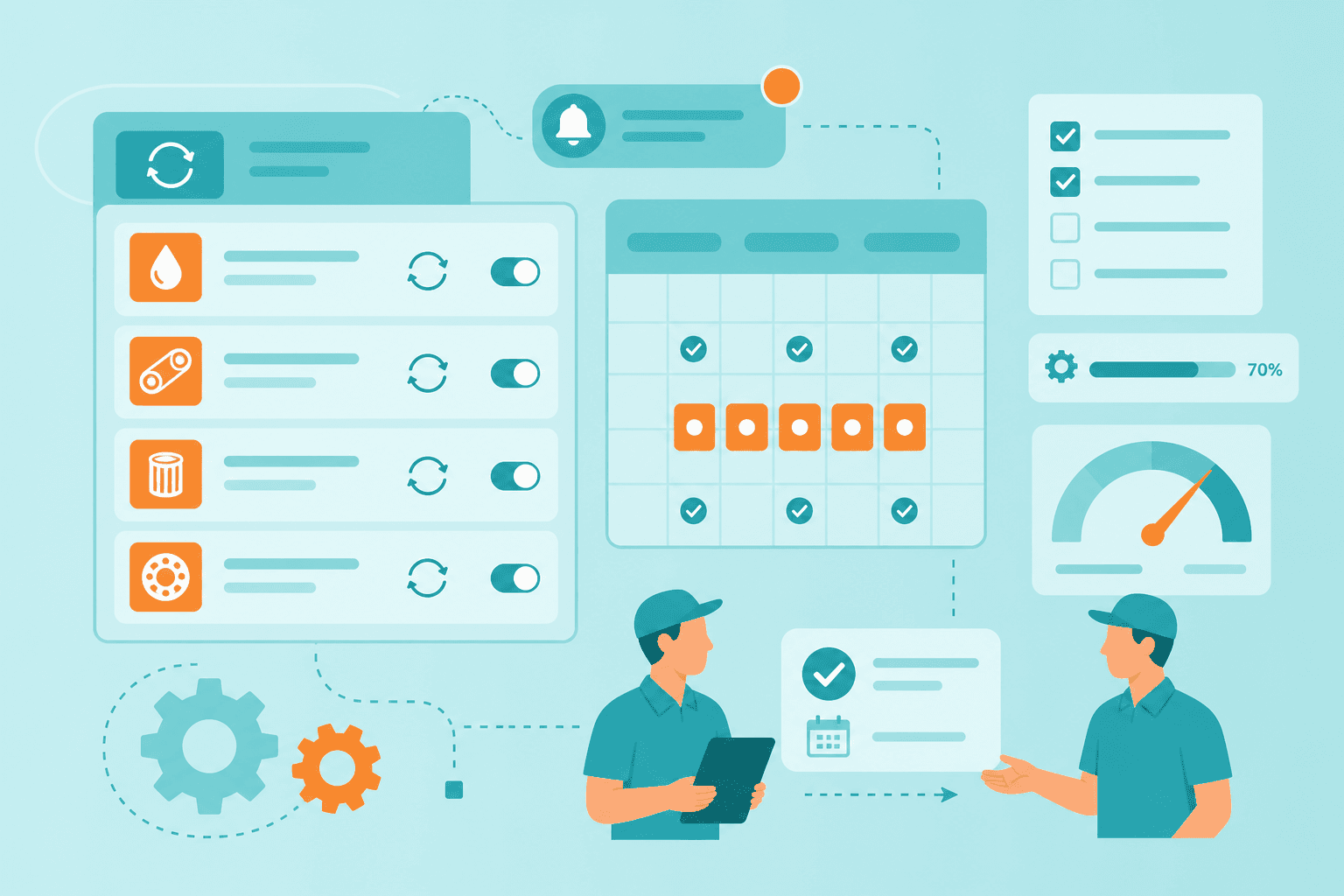
Recurring tasks for every interval. Create a recurring task for each maintenance interval so it reappears automatically on the right day. Nothing depends on someone remembering.
Custom fields for machine and interval type. Add custom fields for the machine name and whether the task is time-based or usage-based, so you can filter and sort your maintenance work at a glance.
Checklists on each task. Attach the checklist you wrote in step four directly to the task, so the technician follows the same steps every time.
Clear ownership. Assign each task to the responsible technician, so accountability is visible to the whole team.
Automatic reminders. Turn on notifications so a due task is never silent. When the usual owner is on leave, the reminder still fires, and the work can be reassigned before anything slips.
The maintenance status also needs to be shared between shifts. When the late shift greases a bearing or flags a machine as running rough, the early shift needs to know. Handling that in a structured digital shift handover, rather than on a whiteboard, keeps maintenance status from getting lost between teams.
From reactive to preventive: a 30-day plan
If your team tracks maintenance in Excel or on paper today, you do not need to change everything at once. A month is enough to build the habit.
Week 1: List your critical machines. Write down your five most important machines and the pain points you already know about each one.
Week 2: Set intervals and write checklists. Decide how often each machine needs attention and draft one checklist per machine.
Week 3: Build it in MeisterTask. Create the recurring tasks, add your custom fields, assign owners, and switch on reminders.
Week 4: Run the first cycle. Work the schedule for a week, note what slipped and why, adjust the intervals, and agree a monthly review.
Start small and let the routine prove itself. Once the first machines are running on a schedule and the team trusts it, adding the rest of the floor is a repeat of the same four steps. For a broader view of how digital coordination supports production teams, MeisterTask's manufacturing project management resources are a useful next stop.
Move from firefighting to a plan that runs itself
Preventive maintenance is less a project than a habit, and a schedule is what turns good intentions into completed work. The teams that stop reacting are not the ones with the most software. They are the ones who decided which machines matter, set clear intervals, gave every task an owner, and reviewed the results.
MeisterTask keeps that work organized, transparent, and shared, so a due task is visible to everyone and nothing gets lost when a schedule changes or someone is away. It is the same coordination that supports manufacturing operations more broadly. Build the schedule once, let it repeat, and let your team spend its energy on steady, predictable production instead of the next surprise breakdown.